When a learning resource with an eligible certificate is completed, the certificate can be accessed by the user in the Certificates tab in My learning activity.
On this page there is a record of all completed resources with an available certificate in Learning Hub.
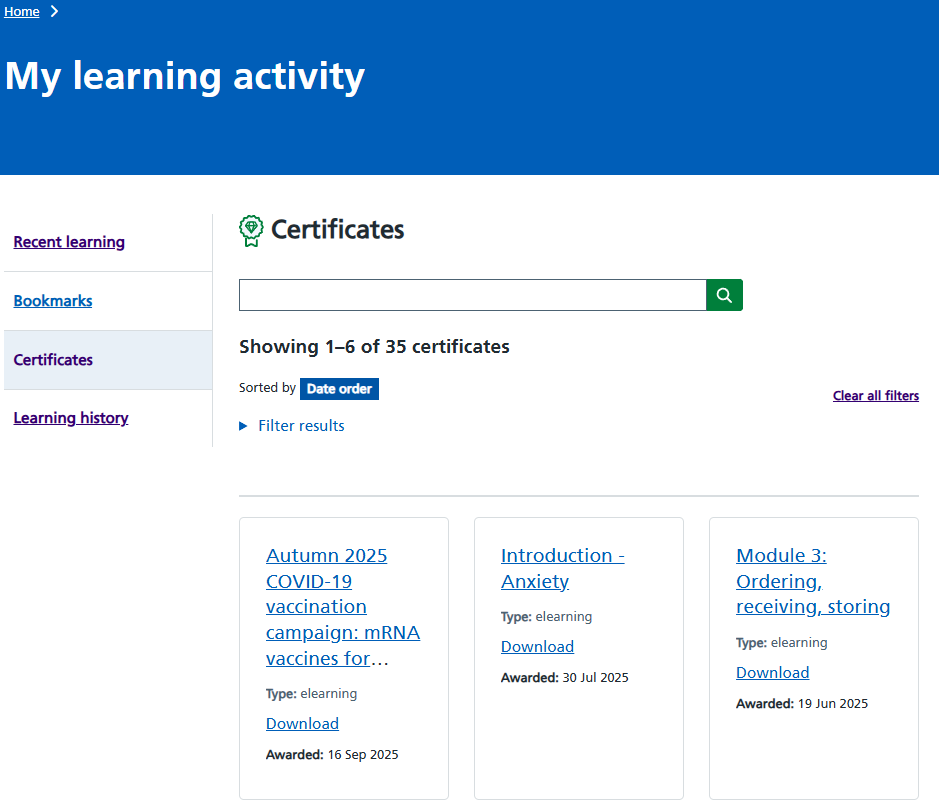
Figure 1 My learning activity showing the Certificates tab
Certificate details
Select the <learning title> to view the corresponding certificate. This will open a new browser tab that will display the certificate. To download the certificate without viewing it, select the <Download> link below the resource name and type.
When viewing the certificate, there is a <Download certificate> button underneath the title of the completed learning. Selecting this allows the certificate to be downloaded as a PDF. Once downloaded the certificate can be saved, emailed or printed as required.
Below this a copy of the certificate is displayed in the browser. The certificate is separated into two pages.
The first page displays the name, the title of the resource completed, the date it was completed and the date the certificate was generated.

Figure 2 An example of a certificate page 1
The second page displays a summary of the activity against that resource. It also includes some additional information (for example username) that is not included in the first section.

Figure 3 An example of a certificate page 2