This article explains how to update the password, username and own name on your account.
Password
When logged in to your account you can change your password by going to <My account> <Security>. You have the option to update your password and security questions by selecting <Change>.
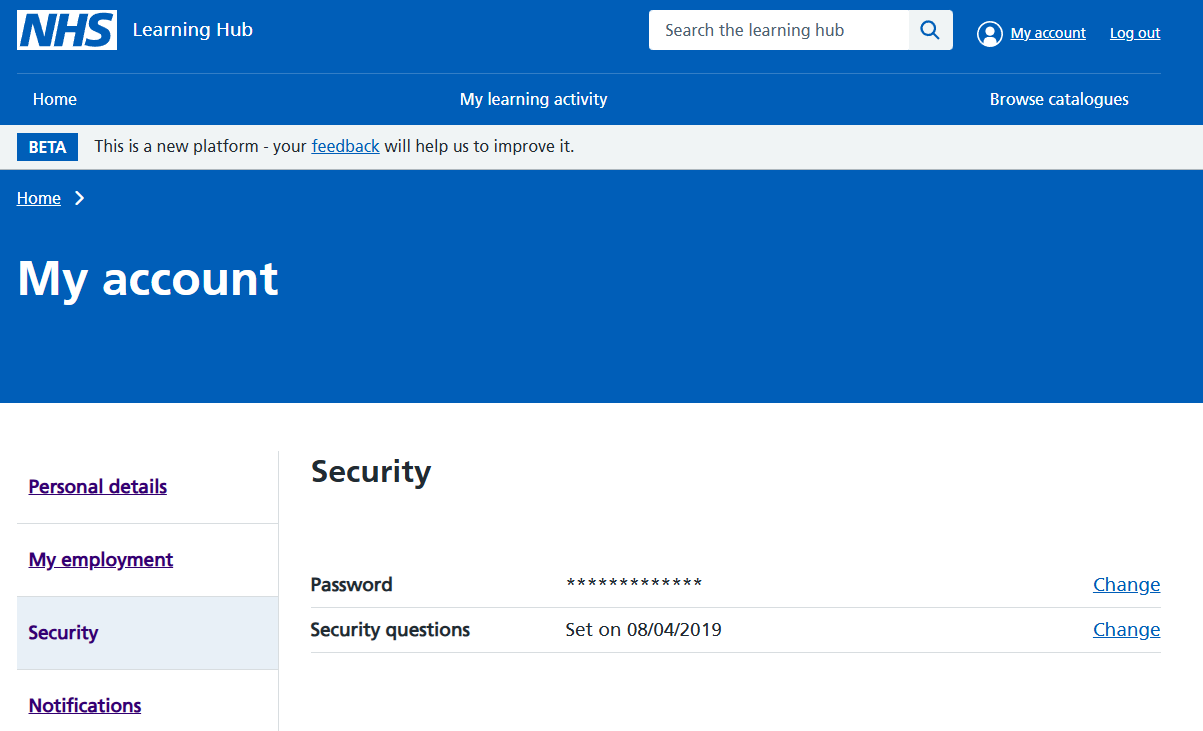 Figure 1 Changing your password
You will need to enter your current password before being able to enter a new password.
Your new password must:
- have 8 characters or more
- at least 1 number
- have 1 UPPERCASE letter or more
- have 1 lower case letter
- have 1 symbol (e.g. &*%) or more
Use this link https://learninghub.nhs.uk/forgotten-password to retrieve your username or reset a forgotten password.
Username
When you create an account, your username is created based on the information you provide. If you want to change your username please contact the Learning Hub support team
Own name
Please contact the Learning Hub support team if you need to update your own name on your account