Your SCORM 1.2 and html elearning resources can be made available to ESR (the Electronic Staff Record) via a link generated by the NHS Learning Hub. You can also allow SCORM 1.2 resources to be downloaded so they can be run on other learning platforms.
Creating and sharing an ESR link
Electronic Staff Record (ESR) users with the Learning Administration User Responsibility Profile (URP) can set up elearning content to play via ESR.
Generating and providing a link enables users with that URP to add this resource as a learning object in ESR.
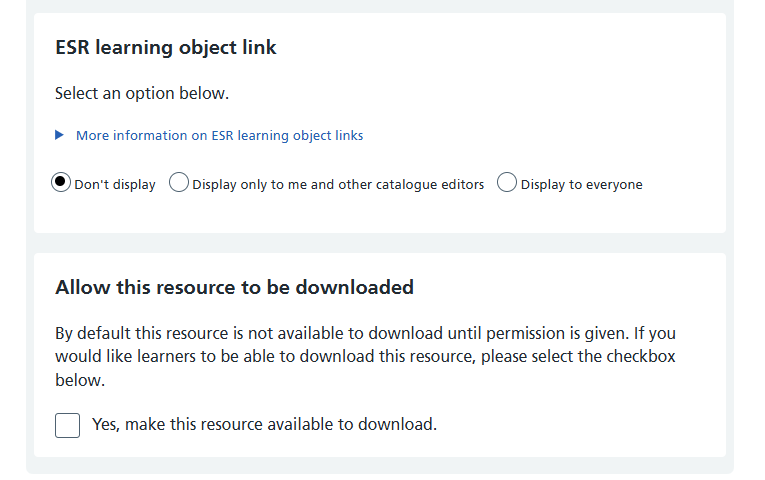
When setting up or editing your resource you will see ESR learning object link in the Type set up box. Select one of the three options to indicate if / how you would like the ESR link to be displayed to other users in the Learning Hub.
- Don't display
- Display only to me and other catalogue editors
- Display to everyone
For further guidance on how to create a learning object in ESR using the link generated by the Learning Hub, visit: Creating Local e-Learning Content in ESR. (You will need an ESR log in to view this).
Allow downloads of your SCORM resource
Tick yes in the Allow this resource to be downloaded section of the set up page (above)
Please note: once a SCORM resource has been downloaded it is separate from the NHS Learning Hub and will not update or warn it is out of date when you update the resource in future.