Access to PGVLE on Learning Hub
Modified on: Wed, 21 Oct, 2026 at 8:23 AM
OCTOBER 18 0900
PGVLE is now available on the Learning Hub
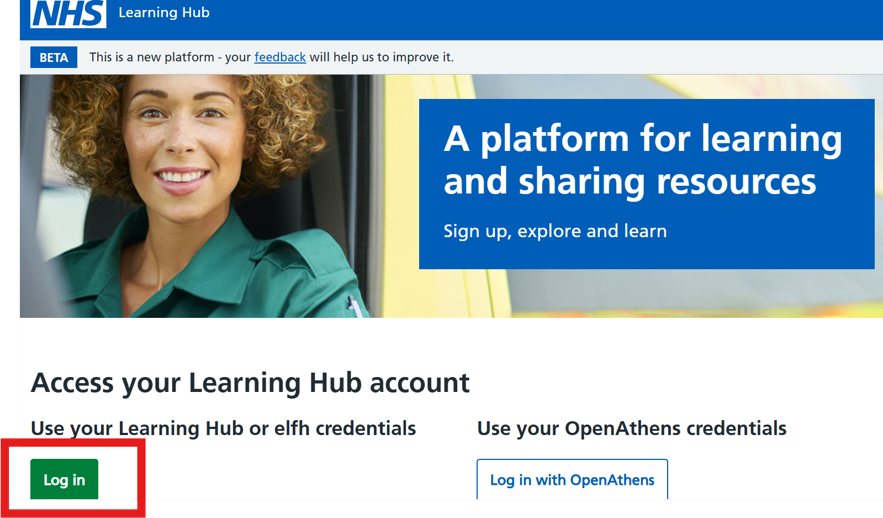
To access the platform please go to learninghub.nhs.uk and select the green <Log in> button. |
Your username will be sent via email.
Please use the Learning Hub password reset link to enter your email to reset your password.
If you have used the Learning Hub before and remember your username and password, you can log in straight away. If you have forgotten your password, please use the Learning Hub password reset link to reset your password.
If you are new to the Learning Hub, you'll need to create a new password. Please use the Learning Hub password reset link to enter your email to reset your password. The password reset link is valid for 48 hours.
|
|
Navigating to the Learning Hub Virtual Learning Environment (VLE)
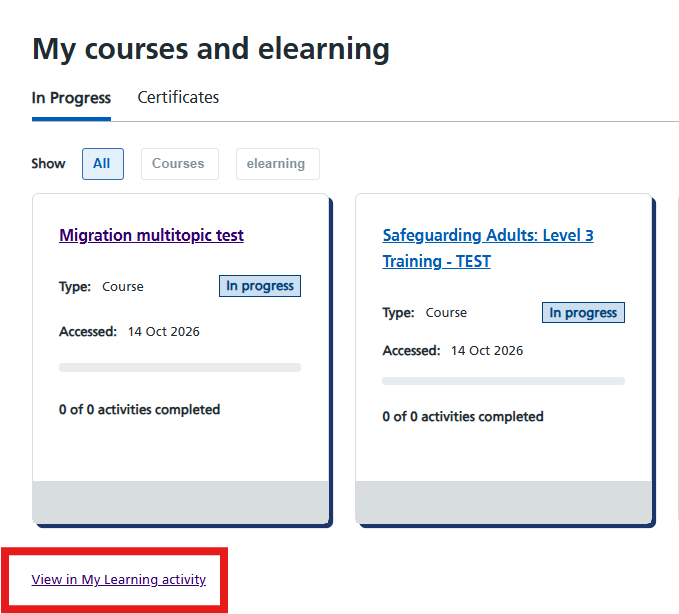
This page displays your recently accessed learning content. You may view additional information such as bookmarks, badges and certificates by selecting <View in my learning activity>
The top menu bar also includes access to two additional navigation buttons for VLE users which direct you as follows:
<VLE Courses> which opens ‘My Courses’ and displays the courses you are enrolled on.
<Calendar> which directs you to the VLE Calendar and displays upcoming events.
|

|
The other options in the header are existing Learning Hub buttons that allow all users to navigate back to the home page, view you learning activity and review your account. If you would like to find content that is separate to the VLE, select Browse catalogues or type into the search bar.
What should I expect?
While all VLE content will be available in the Learning Hub, you will notice changes in its appearance and organisation. These differences include:
• the VLE displaying NHS branding.
• changes to the appearance of navigation buttons.
• changes to the format within VLE courses.
• changes to the way courses appear in categories.
For course and category owners only - Editing and adding content to the VLE
If you are an existing course or category owner, use this VLE Moodle link to manage your content
From the root category, navigate to your category or course and make your changes in the same way as your previously did.
• To edit a course, open it and select edit mode from the menu bar.
• To edit a category, open it and select the required option from the More menu.
User account administration for the platform is being managed in conjunction with the Learning Hub team. If you require any assistance with access or your PGVLE account please email pgvle.support@learninghub.nhs.uk
Kind regards,
PGVLE Support Team
|
Did you find it helpful?
Yes
No
Send feedback Sorry we couldn't be helpful. Help us improve this article with your feedback.